Mom Monster, Momster: A Designer’s Real-World Embroidery Review
First Impressions: Cute, Playful, and Ready for Customization
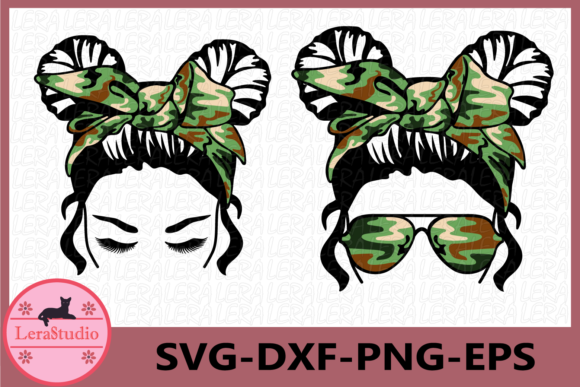
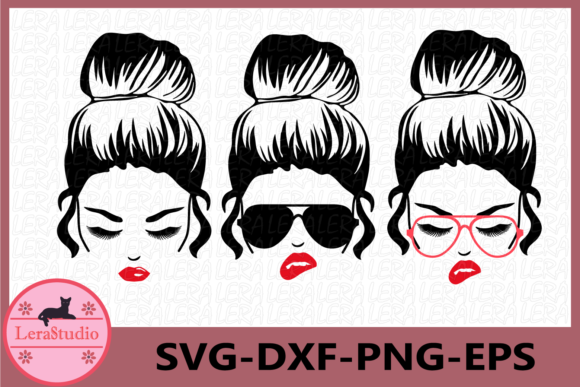
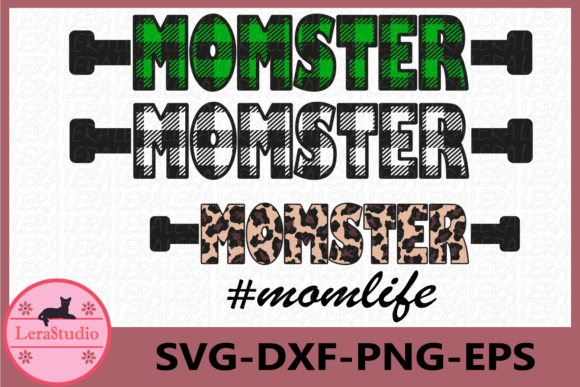
Opening the zip folder for Mom Monster, Momster, the first thing I noticed was the clean, cohesive trio of graphics. These are clearly designed with a fun, lighthearted tone in mind—perfect for moms who embrace the chaos and charm of parenting. The design has a soft, rounded shape with just enough detail to read clearly when stitched out. The visual personality leans toward whimsical without being overly cartoonish, which makes it versatile for a range of handmade and custom products.
From a design standpoint, the layout is balanced and not too dense, which is promising for machine embroidery. The theme feels right at home on baby items, personalized gifts, or boutique-style apparel. It’s the kind of design that says, “I’m proud to be a mess,” but in a way that still looks polished when stitched.
Real-World Use: From Tote Bags to Sweatshirts
I tested the design on a few different project types to see how it holds up in real-life scenarios. Starting with a simple tote bag made from medium-weight cotton canvas, the embroidery stitched cleanly with minimal puckering. The satin and fill stitches held up well, especially around the facial features and lettering. It’s a small but expressive design, so it’s ideal for adding a bit of character without overwhelming the item.
Next, I moved to a sweatshirt. The heavier fabric helped the design pop, and the thread contrast was sharp enough to maintain clarity. I used a medium-weight stabilizer underneath to prevent shifting, and the result was a clean, professional-looking finish. This is definitely a design that Etsy sellers and small shop owners could use confidently for custom sweatshirts or hoodies.
Testing Baby Items and Patches
Since many of us sell embroidered baby clothes and accessories, I tried Mom Monster, Momster on a onesie. The design scaled down nicely without losing its charm. I did notice that the eyes and mouth became slightly less defined when reduced, so I’d recommend using it on items that allow for a slightly larger stitch field, like a baby blanket or a personalized bib.
For patches, the design worked well too. I stitched it onto a felt backing and then cut it out for a sew-on patch. It held up to the trimming and looked clean enough to sell as part of a craft kit or boutique accessory. If you’re an embroidery designer creating digital embroidery files for resale, this one could easily be marketed as a patch-ready option.
Where to Use with Care
While the design is versatile, there are a few scenarios where it needs a bit more attention. On thin or stretchy fabrics like lightweight knits, the facial details can blur slightly unless you use a firm stabilizer. I also noticed that on dark fabric backgrounds, some of the lighter thread colors didn’t stand out as clearly, especially in the smaller features like the eyes.
When embroidering curved surfaces like caps, the design still reads well but requires careful hooping to maintain symmetry. The corners of the design are rounded, which helps avoid distortion, but if you're stitching on a curved or layered surface, it’s best to test first on a mock cap form.
Visual Appeal and Marketability
One of the biggest selling points of Mom Monster, Momster is its visual appeal. It’s eye-catching without being too bold, and it carries a sense of warmth and humor that’s hard to find in pre-made designs. For Etsy sellers and craft entrepreneurs, that’s a big win—especially when creating personalized gifts or boutique items that need to stand out in a crowded market.
It also works well for digital product previews. Using the included PNG file, I was able to create a quick mockup of a tote bag and a sweatshirt, and the design translated well into print. This makes it a solid choice for digital product sellers who want to offer a clear visual of what the finished product will look like.
Design Notes for Embroidery Professionals
- Test on scrap fabric before stitching on your final product, especially if you're working with stretchy or textured material.
- Check thread color contrast to ensure facial features and lettering remain clear, especially on dark fabrics.
- Review stitch density—the fill areas are consistent, but you may want to adjust for very thick or thin garments.
- Confirm hoop size compatibility with your machine before stitching.
- Inspect small details like eyes and mouth when scaling down for baby items or patches.
- Test in black and white mockups to see how it reads without color influence.
- Compare light and dark fabric backgrounds to see how the design translates across different materials.
- Use proper stabilizer—medium-weight tear-away worked best for me across most fabrics.
- Verify licensing before using in commercial embroidery or for resale—always a must with digital embroidery files.
Final Thoughts: A Worthy Addition to Your Design Kit
Mom Monster, Momster is a thoughtful, well-balanced embroidery design that works across a variety of real-world applications. Whether you're creating a custom embroidered tote bag, a personalized baby blanket, or a boutique sweatshirt, this design holds up well and adds a touch of personality that customers appreciate.
For embroidery designers and small business owners, it's a versatile asset that can be used across multiple product lines—from Etsy listings to craft fair items. As long as you test it on your preferred fabrics and keep an eye on detail clarity, it should stitch out cleanly and consistently.
In short, if you're looking for a playful, mom-centric design that's easy to stitch and even easier to sell, Mom Monster, Momster deserves a spot in your embroidery project lineup.